If an error message appears when updating teams or deleting users via CSV bulk registration, please check the following.
Error Message
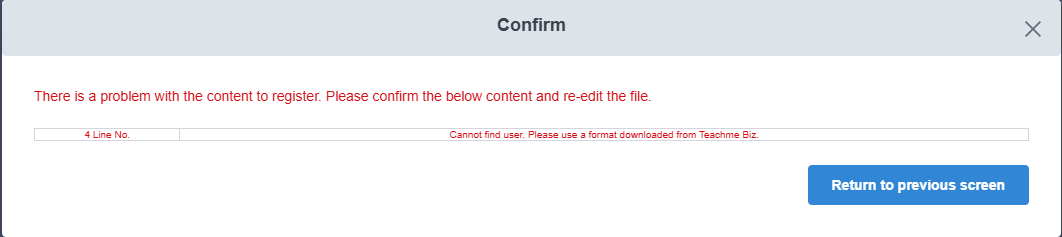
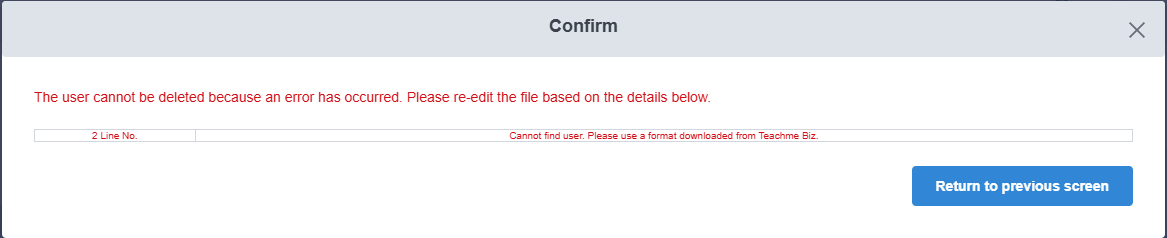
"User not found. Please use the format downloaded from Teachme Biz."
When This Appears
① When clicking "Confirm registration details" during team update in CSV bulk registration
② When clicking "Confirm deletion details" during user deletion in CSV bulk registration
Cause
One of the account details — "Account Name," "Email Address," or "Display Name" — may not match between the exported CSV and the information in Teachme Biz.
Common Patterns
- The account information in Teachme Biz was changed after the CSV file was exported.
- When the "Account Name," "Email Address," or "Display Name" begins with "0," the leading "0" was removed when the CSV file was saved in Excel format.
Resolution Steps
1. Check the account information in Teachme Biz
▼ View/Edit account information (Administrator)
https://teachme.jp/8/manuals/10712131/
2. Update the account information in the CSV to match Teachme Biz
Correct the "Account Name," "Email Address," and "Display Name" in the CSV file to match the account information in Teachme Biz.
If you are using a format that was downloaded a while ago, re-downloading the latest format may resolve any discrepancies.
When editing the content, please use the latest downloaded format.
▼ Update multiple user teams at once using CSV file (Web Browser) - Download format
https://teachme.jp/8/manuals/4965352/#stepId-4270019
▼ Delete user from group using CSV (Web Browser) - Download format
https://teachme.jp/8/manuals/4965298/#stepId-14043234
How to handle cases where the leading "0" is removed
If the leading "0" is removed when the CSV file is saved in Excel format, please refer to the steps below.
Note: Even though the "0" is included at the time of download, it may be unintentionally removed when the file is opened in Excel or similar applications.
Reference: Format numbers as text (external link)
3. Upload the CSV file again
▼ Update multiple user teams at once using CSV file (Web Browser) - Upload file
https://teachme.jp/8/manuals/4965352/#stepId-4270023
▼ Delete user from group using CSV (Web Browser) - Upload file
https://teachme.jp/8/manuals/4965298/#stepId-4270001
If the issue is not resolved
Please contact us with the following information.
- A screenshot showing the situation where the error appears and the error message
- The exact date and time the error occurred
- The CSV file in which the issue is occurring
Related: Contact Customer Support
https://teachme.jp/8/manuals/4929377/