Introduction
If you have questions or need help with Teachme Biz, please make use of the Help Center.
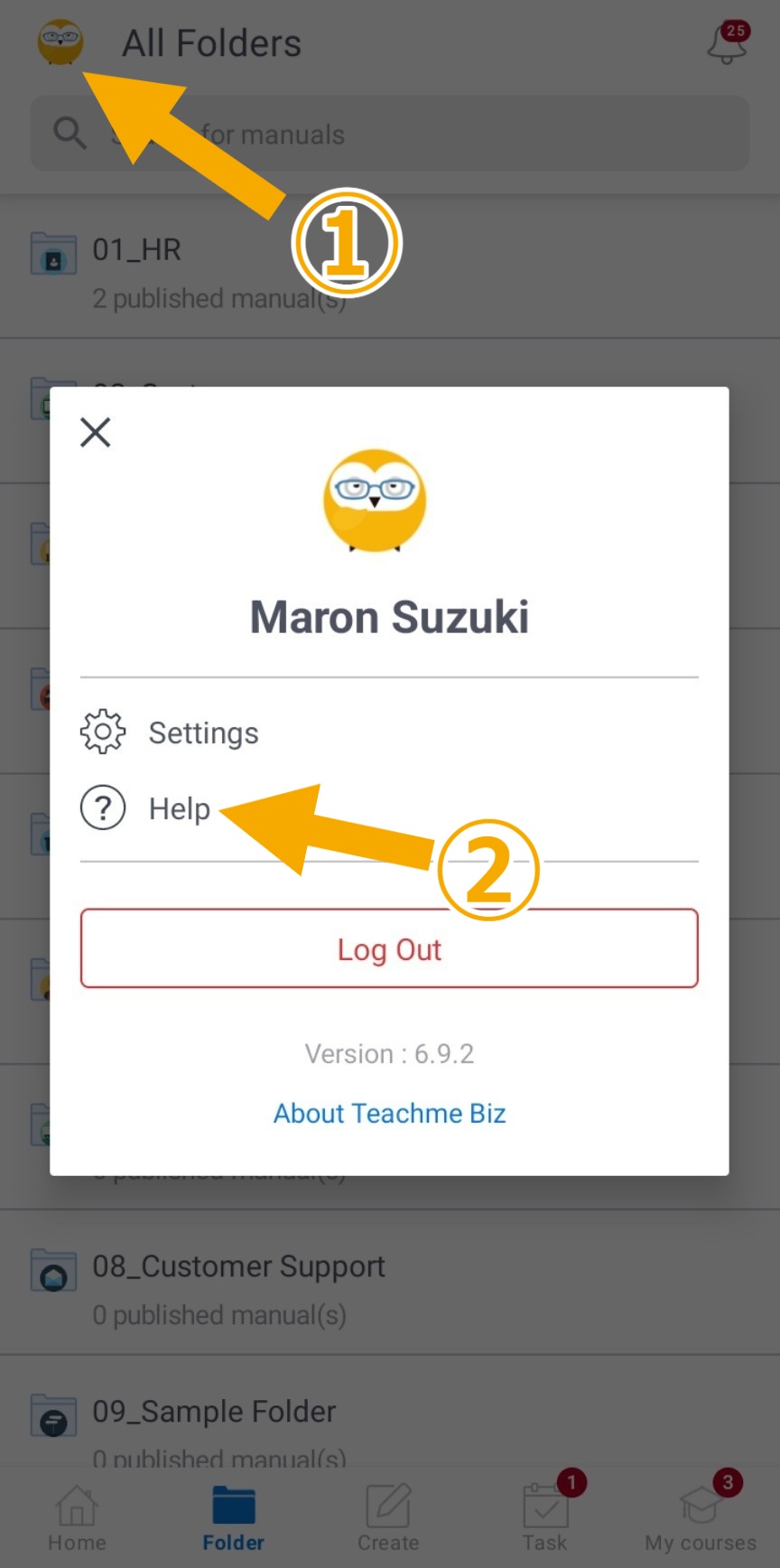
How to open the Help Center from Teachme Biz
You can open the Help Center by clicking the "?" icon on the Teachme Biz home screen.
Web browser version

Mobile app / Mobile browser

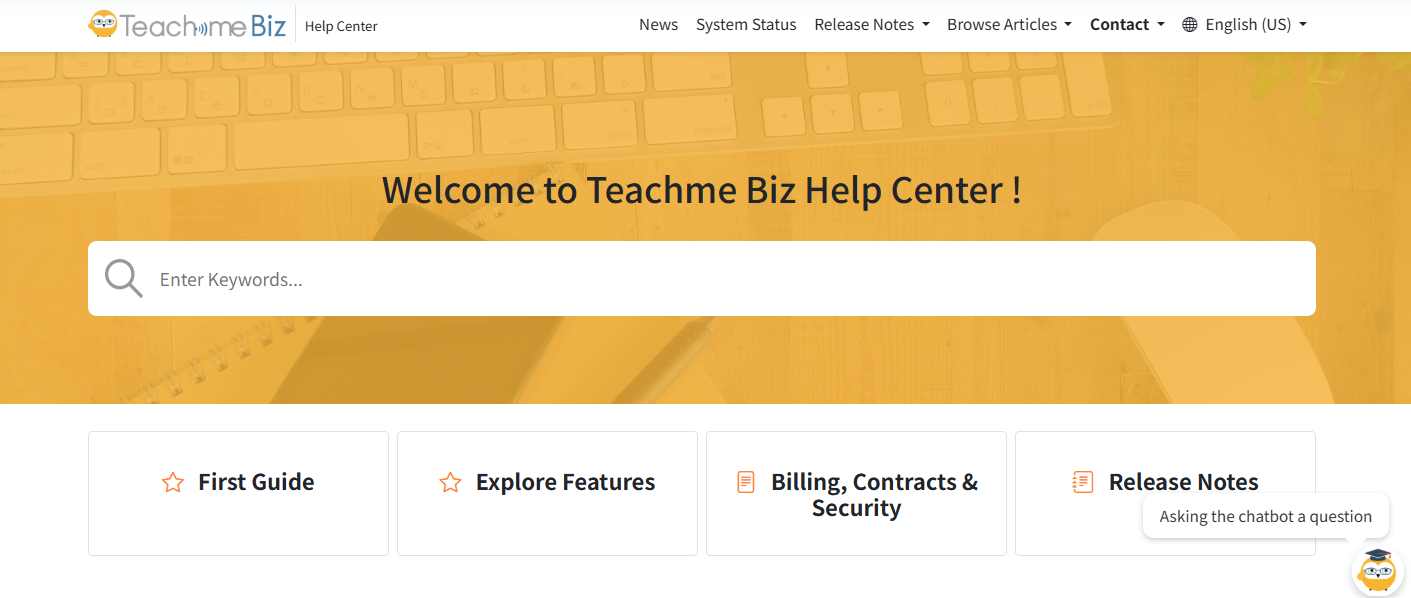
What you can find in the Help Center
In addition to feature specifications, you can also find tips on how to make the most of the product and the latest news.
| Category | Content |
|---|---|
| Getting Started Guide | Key concepts and operations you should know first, organized by role |
| Explore Features | Teachme Biz overview, features, specifications, and troubleshooting |
| Contracts & Billing | Contracts, billing, applications, and security check information |
| Tips & Use Cases | Tips for operation and content creation, and usage examples |
| For Free Trial Users | Frequently asked questions about the free trial |
| Announcements | Updates, incidents, and maintenance information |
| Release Notes | Release information for each app |
| Events & Seminars | Events and seminars (ongoing and past recordings) |
| Video Lectures | Video manuals on how to use features |
How to find information in the Help Center
Browse frequently asked questions
We have compiled a list of questions frequently asked about Teachme Biz.
Please check here first.

Search by category
You can browse the displayed content to find the information you are looking for.

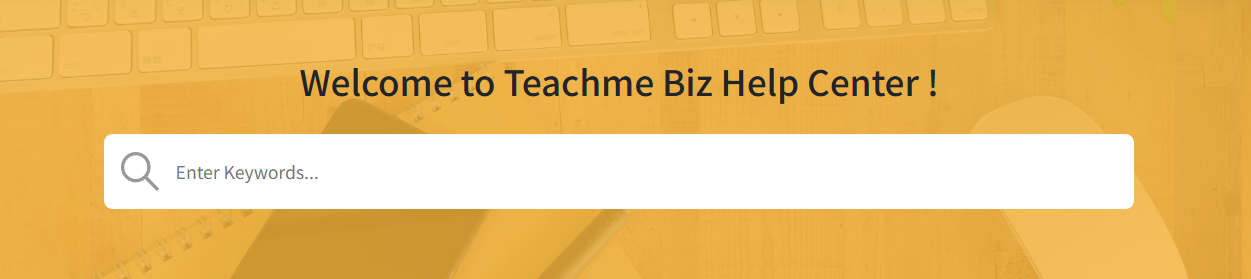
Search by keyword
You can search for information using free-text keywords.
Searching with multiple words separated by spaces makes it easier to find what you are looking for.
Example
✓ manual image multiple
- How do I register multiple images in a manual at once
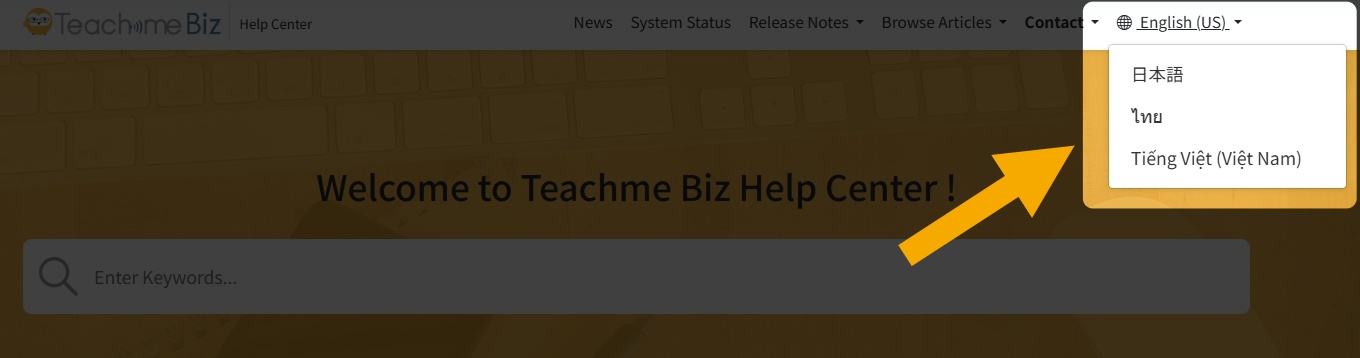
View in another language
- Help Center (English)
https://help.teachme.jp/hc/en-us - Help Center (Thai)
https://help.teachme.jp/hc/th
You can also switch the display language from within the screen.
If your issue could not be resolved
Please feel free to contact us via the inquiry form.
https://studist.my.site.com/tmbsupport/s/
Related:
Inquiry Guidelines
https://help.teachme.jp/hc/en-us/articles/4408344482201