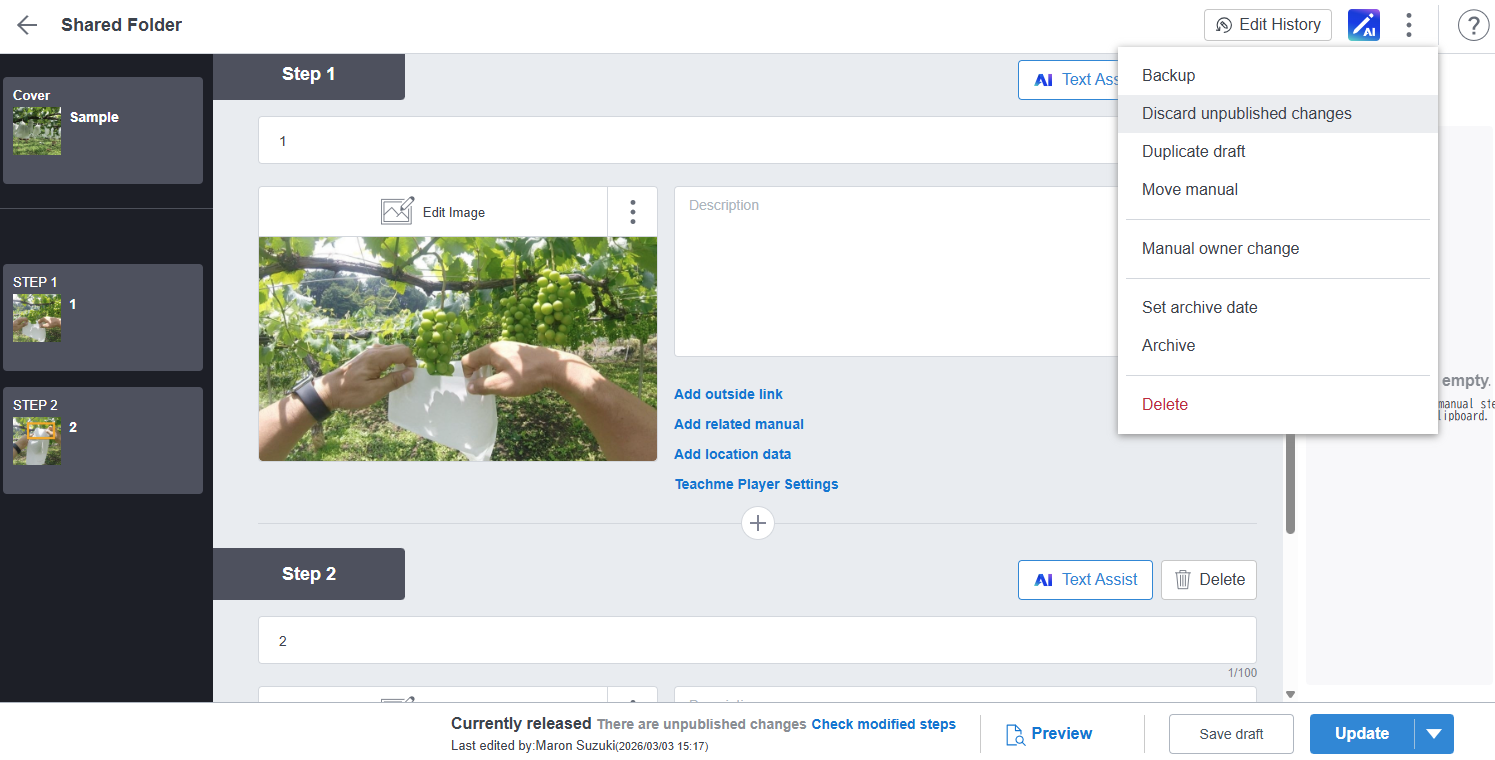
In the Web Browser version*, you can discard changes you are editing and revert to the currently released content.
*This feature is only available in the Web Browser version. It is not available in the mobile apps (iOS, Android).
How it works
1. Open the editing screen of a published Manual

* This applies only to Manuals that are currently published. Manuals that have not yet been published are not eligible.
2. Make edits

When edits are made, the "Publication Info" changes from "Currently released" to "Currently released (updates pending)".
3. Open the menu and click "Discard unpublished changes" to revert to the currently released content

This menu item is only displayed when the Manual's "Publication Info" is "Currently released (updates pending)" (i.e., when there is a difference between the currently released view and the editing view).
* It will not be displayed if the Manual has not been published, or if the currently released content and the content being edited are the same.