If an error message appears when updating a team or deleting users via CSV batch registration, please check the following.
Error Message
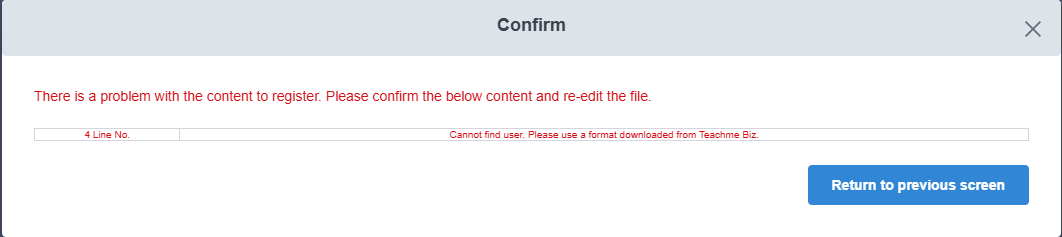
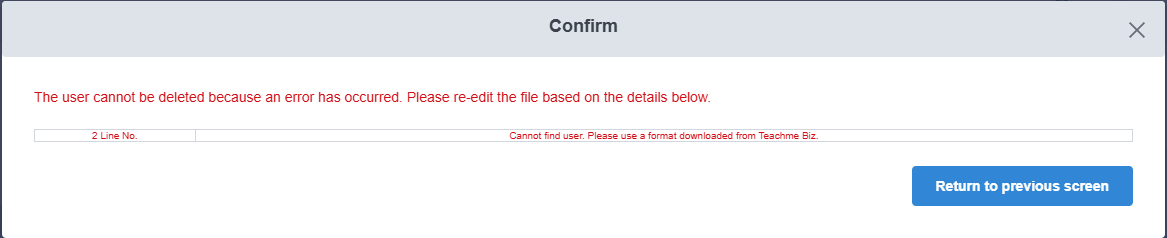
"Cannot find user. Please use a format downloaded from Teachme Biz."
When It Appears
① When clicking "Confirm" under Update team in CSV batch registration
② When clicking "Confirm" under user deletion in CSV batch registration
Cause
One of the account details — "Account name," "E-Mail Address," or "Display Name" — may not match between the exported CSV and the information in Teachme Biz.
Common Patterns
- The account information in Teachme Biz was changed after the CSV file was exported.
- When the "Account name," "E-Mail Address," or "Display Name" begins with "0," saving the CSV file in Excel format caused the leading "0" to be removed.
Resolution Steps
1. Check the account information in Teachme Biz
▼Check/update account information (Administrator)
https://teachme.jp/8/manuals/10712131/
2. Correct the account information in the CSV to match Teachme Biz
Update the "Account name," "E-Mail Address," and "Display Name" in the CSV file to match the account information in Teachme Biz.
If you are using a format that was downloaded some time ago, re-downloading the latest format may resolve any discrepancies.
When editing the content, please use the latest downloaded format.
▼Update multiple user teams at once using CSV file (Web Browser) - Download format
https://teachme.jp/8/manuals/4965352/#stepId-4270019
▼Delete multiple users at once using CSV file (Web Browser) - Download format
https://teachme.jp/8/manuals/4965298/#stepId-14043234
Solution when the leading "0" is removed
If a leading "0" is removed when saving the CSV file in Excel format, please refer to the steps below.
※ Even though the "0" is included at the time of download, it may be unintentionally removed when the file is opened in Excel or similar applications.
Reference: Format numbers as text (Outside Link)
3. Upload the CSV file again
▼Update multiple user teams at once using CSV file (Web Browser) - Upload file
https://teachme.jp/8/manuals/4965352/#stepId-4270023
▼Delete multiple users at once using CSV file (Web Browser) - Upload file
https://teachme.jp/8/manuals/4965298/#stepId-4270001
If the above steps do not resolve the issue
Please contact us with the following information.
- A screenshot showing the situation where the error appears and the error message
- The exact date and time the error occurred
- The CSV file in which the issue is occurring
Related: Contact Customer Support
https://teachme.jp/8/manuals/4929377/